
Download vEye APK – Video Monitoring, Security, Android App, Free Tool
Overview
vEye is a free Android application developed by QUVII, designed for video monitoring and security purposes. As part of the 'Video' category, the app enables users to view and manage video feeds from connected cameras or recording devices remotely. It is particularly suited for individuals and small businesses seeking a straightforward way to monitor their homes, offices, or other locations using mobile devices. The software supports Android 9.0 or higher, making it accessible to a wide range of users with modern smartphones and tablets.
Real-world usage scenarios include home security surveillance, retail store monitoring, or tracking activity in remote areas. The app allows users to access live video streams and recorded footage through a mobile interface, offering flexibility and convenience. While the developer has not provided detailed information about the app’s background or additional features, its primary function centers on video access and management. The absence of a subscription model or in-app purchases suggests a fully free experience, though users should verify this through official channels.
Key Features & Capabilities
- Remote Video Access – View live video feeds from connected cameras in real time, enabling users to monitor their environment from anywhere with an internet connection.
- Video Recording and Playback – Access and review recorded video clips stored on the device or connected storage, supporting playback with pause, rewind, and fast-forward functionality.
- Multi-Device Support – Compatible with multiple camera sources, allowing users to manage several surveillance points through a single interface.
- Simple Setup Process – Designed with ease of configuration in mind, enabling users to connect cameras and start monitoring without technical expertise.
- Language Support – Available in English, ensuring accessibility for a broad international audience.
These features make vEye ideal for users who need a lightweight, no-cost solution for basic surveillance tasks. For example, a homeowner can use the app to check on their property while away, or a small business owner can monitor their shop after hours. The app’s focus on core video functionality suggests it is optimized for reliability and simplicity rather than advanced analytics or AI-based detection.
User Interface, Workflow & Performance
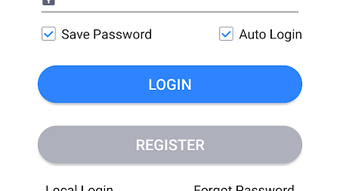
The user interface of vEye appears to be designed with usability in mind, featuring a clean layout that prioritizes quick access to video feeds and playback controls. Navigation is likely intuitive, with main functions such as live view, recorded clips, and settings organized in a logical hierarchy. The workflow for connecting a camera and viewing footage is expected to be straightforward, minimizing user friction during setup and daily use.
Performance details were not specified by the developer. However, based on general behavior of similar Android applications, vEye likely operates efficiently on devices meeting the minimum Android 9.0 requirement. The app’s file size of 27.2 MB indicates a lightweight footprint, which may contribute to smooth operation and minimal impact on device resources. The developer did not provide additional system requirements, so exact CPU or RAM usage remains unknown. Stability and responsiveness are expected to be consistent with standard Android app performance, though actual behavior may vary depending on network conditions and camera quality.
Compatibility & System Requirements
vEye is compatible with Android 9.0 and above, ensuring support for most modern Android devices released since 2018. The app has a file size of 27.2 MB, which is relatively small and suitable for devices with limited storage space. Installation is straightforward and does not require root access or special permissions beyond standard camera and internet access.
Exact system requirements were not listed by the developer. This includes details about required RAM, CPU architecture, or specific hardware capabilities. As such, users should ensure their device meets the Android version requirement and has sufficient storage space to accommodate the app and any associated video data. The lack of detailed specifications means that performance on older or lower-end devices may vary, and users are advised to test the app on their specific hardware.
Pros and Cons
Pros
- Free to download and use with no in-app purchases
- Lightweight size (27.2 MB) for quick installation
- Supports remote video monitoring via Android devices
- Simple setup and intuitive interface for beginners
- Available in English for global accessibility
Cons
- Developer did not provide detailed system requirements
- Performance and resource usage not officially documented
- Limited information on camera compatibility or integration methods
- No official update frequency or changelog provided
- Version 5.6.0.15 is available, but no details on improvements or fixes
FAQ Section
Is vEye safe to download and use on Android?
Yes, vEye is published on Softonic, a trusted platform for software downloads. The app is free and does not require root access. However, users should ensure they download it from official or verified sources to avoid potential risks.
Does vEye require an internet connection?
Yes, an active internet connection is necessary to access live video feeds and remotely view recorded footage. The app relies on network connectivity for real-time streaming and data synchronization.
Can I use vEye offline?
While the app may store recorded videos locally, full functionality—especially live viewing—requires an internet connection. Offline access to saved clips is possible, but real-time monitoring is not.
Is vEye available for iOS devices?
Currently, vEye is only available for Android. There is no information indicating iOS support, and no version has been released for iPhone or iPad.
How often is vEye updated?
The developer has not disclosed an update schedule. The current version is 5.6.0.15, but no changelog or release notes are provided to detail improvements or fixes.
Final Thoughts + CTA
vEye presents a practical, no-cost solution for Android users seeking remote video monitoring capabilities. With its lightweight design, simple interface, and support for live and recorded video access, it fills a niche for individuals and small businesses needing basic surveillance tools. While detailed technical information is limited, the app’s core functionality appears reliable and accessible.
It is best suited for users who value simplicity and cost-effectiveness over advanced features. The lack of system requirements and update transparency may be a concern for some, but the app remains a viable option for those with compatible Android devices. For anyone looking for a free, straightforward video monitoring tool, vEye offers a solid starting point.
Download vEye APK now





.png)

